Early Access · The Complete Interactive Guide 2027
Same character. Every shot. Your first AI video in 60 minutes.
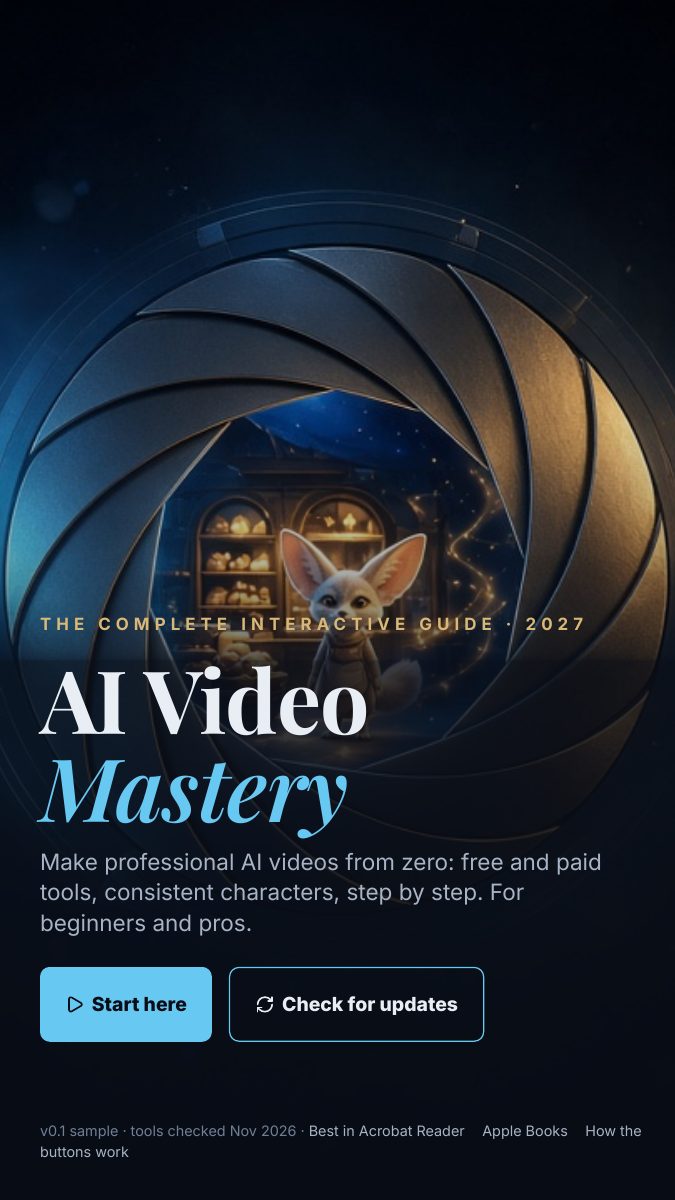
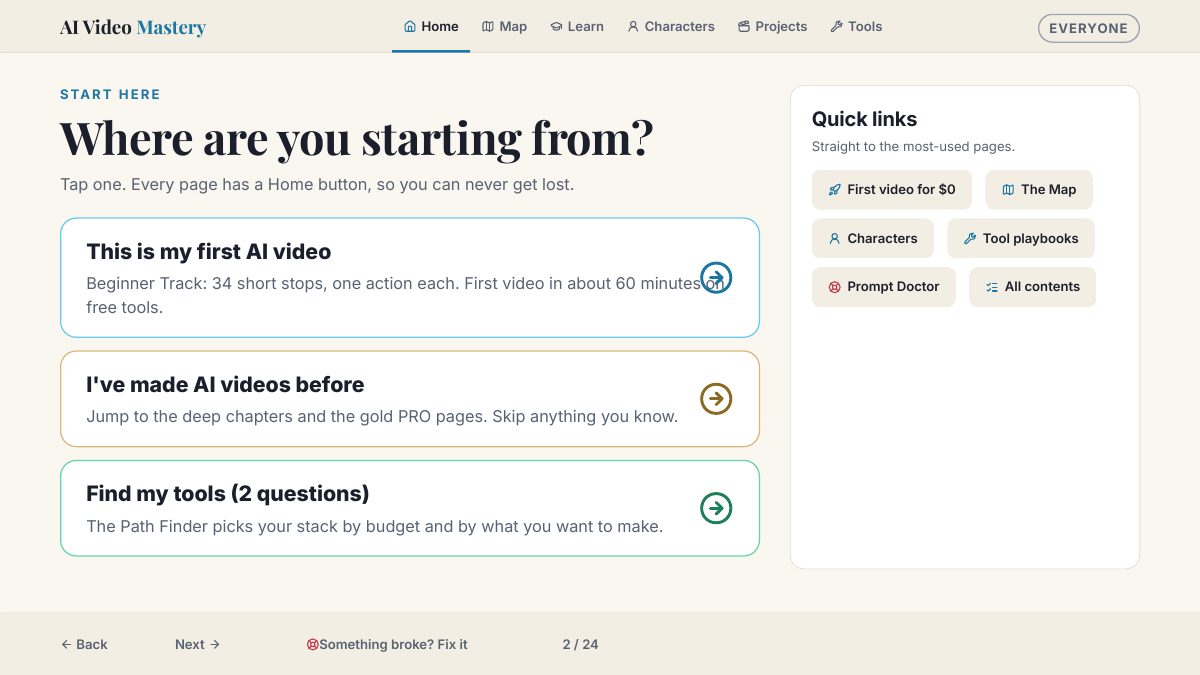
AI Video Mastery is a 100% interactive PDF that takes you from zero to professional AI videos — with free tools first. Tap the map, follow the flowchart, copy the prompt, fill the worksheet. Built for complete beginners, deep enough for pros.
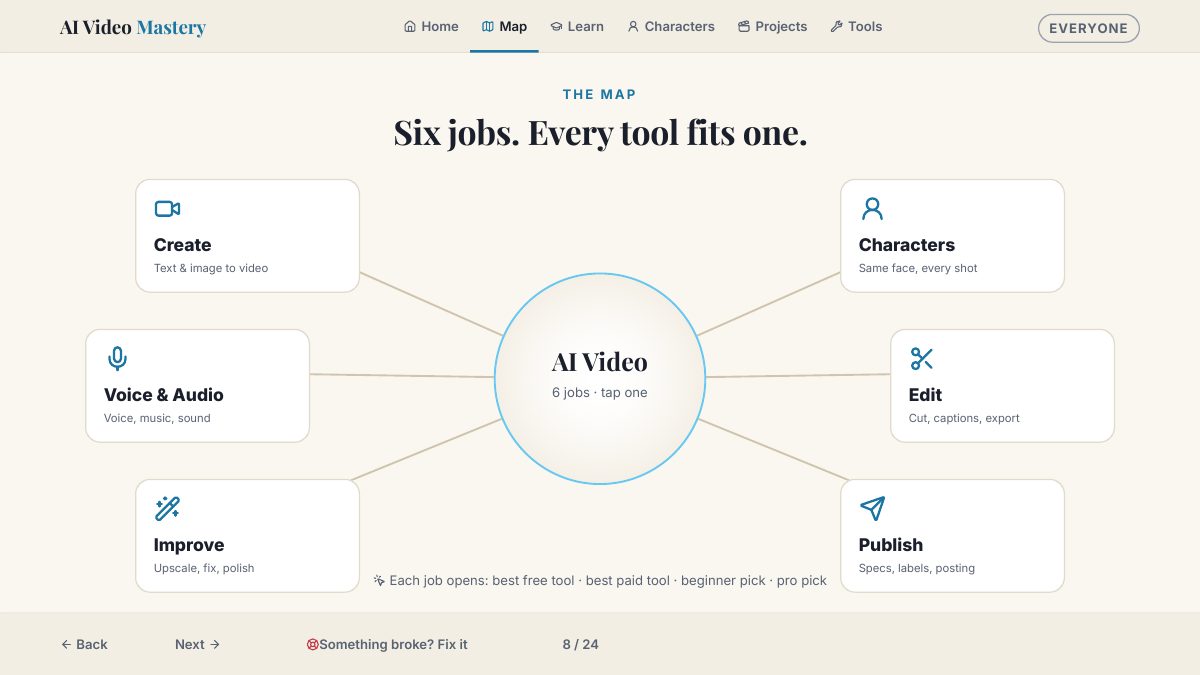
"A new face in every clip."
Your character changes between shots, so nothing feels like a real story.
"Fifty tools, no plan."
Endless tutorials, every one recommends something different.
"I burned my credits."
Weak prompts waste paid generations and still look amateur.
The offer
The 60-Minute First Video Challenge
One guided route, free tools, copy-ready prompts and video walkthroughs — finish your first AI video or get a full refund within 14 days.
Path Finder
Two taps choose your free tool stack.
Your character
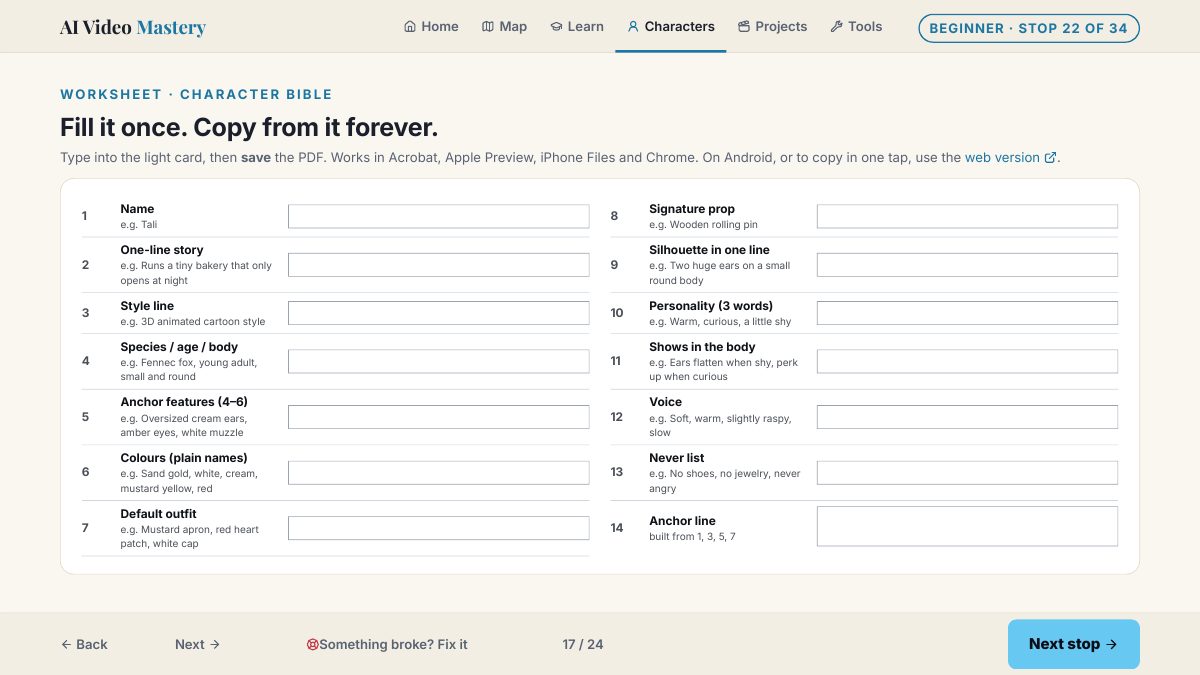
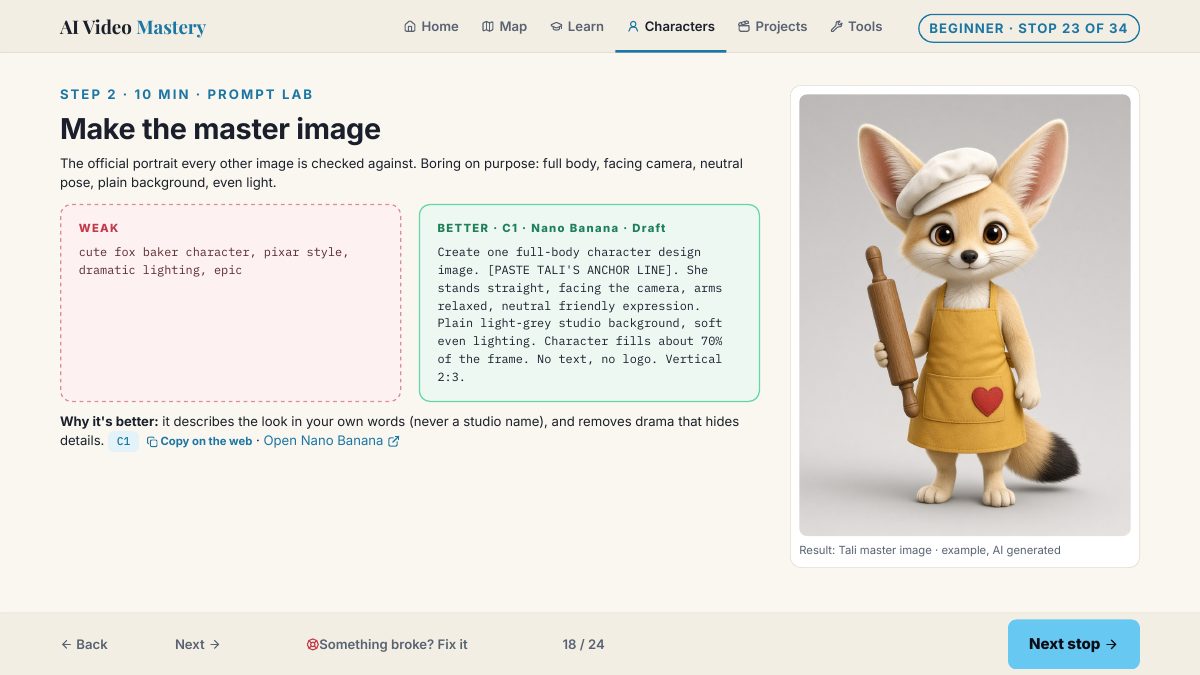
Fill the anchor line, generate one master image.
Four shots
Copy four prompts. Same face in every shot.
Voice & music
Add a natural voice and a soundtrack.
Edit & export
Captions, cuts, the right size for Reels, Shorts, TikTok.
Generation queues on free tools vary, so your clock may run a little longer at peak hours. The route still works.
Try it here
This is how the guide feels
Every page works like this. In the PDF, each choice, node and step is a real link.
Now try it yourself:
Masterytap a topic
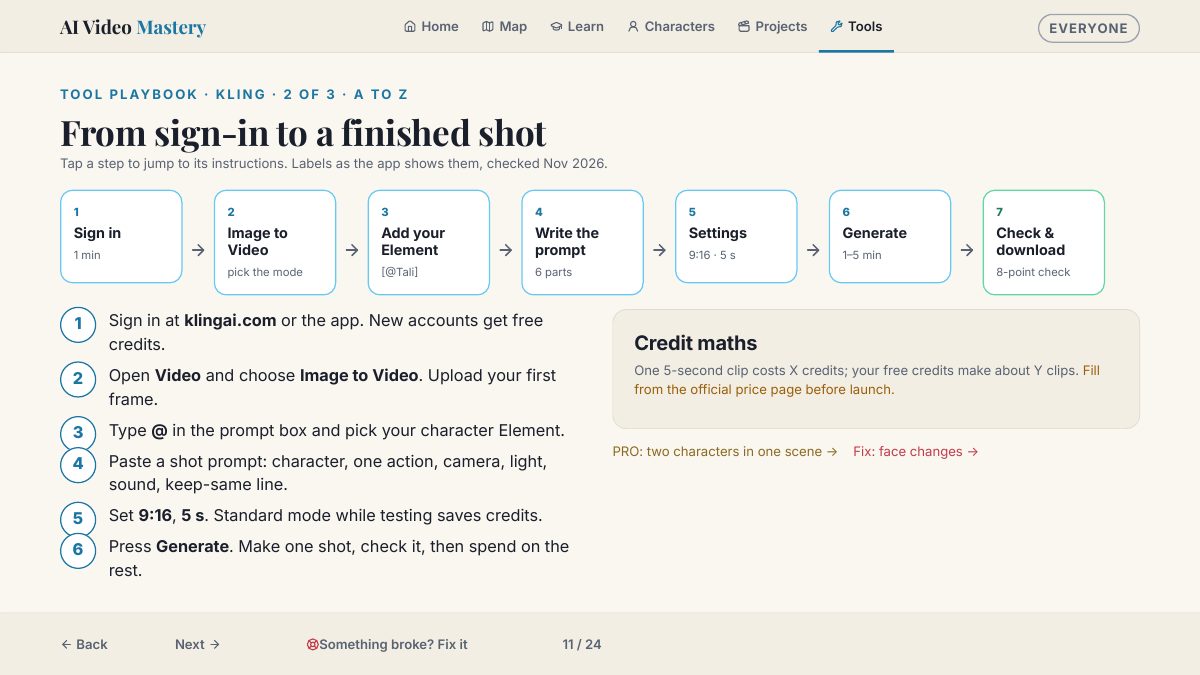
The Consistent Character Method
Seven steps from the guide's strongest chapter. Tap each step.
What's inside
Clear enough for day one. Deep enough for pros.
The essential AI video tools, tested and kept current — free and paid routes side by side, with a flowchart for each one from A to Z.
Start Here + first video
Make something real before any theory.
Path Finder
Budget + goal → your personal tool stack.
The Map: free vs paid
One clickable map of the whole landscape.
Create: image & video
Kling, Google Flow, Dreamina, Nano Banana and more — install to first clip.
Consistent Characters
The Character Bible, master image, turnaround sheet and reference pack.
Voice & Audio
Natural voices, lip-sync, music and sound design.
Edit
Cuts, captions, pacing and export settings.
Improve
Upscale, fix hands and faces, cinematic grading.
Publish
Formats, AI-content labels and platform rules.
Guided projects
Ad, story short, faceless channel, product video, talking presenter.
Prompt Lab
Weak vs better prompts, explained, ready to copy.
Fix-it Clinic
"Something broke?" — every common problem, solved.
Made with this method
Real AI scenes, made with the guide's workflow
Scene prompt → master image → animate → seamless loop. The same steps you follow in the Create and Improve chapters.
AI-generated clips, shown muted. Character-consistency samples are added with the next edition.
Readers
What readers say
Early readers who received the guide before launch.
Two tracks, one guide
Start where you are
Never made an AI video?
- One blue "Next stop" button on every page — you never get lost
- Free tools first, with download links for iPhone, Android and web
- Plain English, no jargon, screenshots for every click
- Copy a prompt, paste it, get a result
Already creating?
- Skip straight to gold PRO pages from any chapter
- Multi-shot scenes, camera language, reference control
- Paid-tool workflows that save credits and time
- Client-ready ad and product video projects
Pricing
One payment. Yours to keep.
Every tier includes the Screen (16:9) and Phone (9:16) editions, each in light & dark, and 12 months of updates. Early access: get the first chapters today, full guide delivered by Dec 1, 2026.
You get today
- The Early Access edition (Screen + Phone, light & dark)
- The complete Consistent Characters chapter: Character Bible, master image, reference pack, shot-by-shot prompts for Kling, Google Flow and Dreamina
- Start Here, Path Finder, the clickable Map and the Kling playbook
Delivered by Dec 1, 2026
- The complete guide (120+ pages): Route A, all 10 tool playbooks, Prompt Doctor, rights & AI labels
- Pro & VIP: Prompt Vault, character packs and project files
- Automatic: Gumroad emails you when it's in your library. Nothing to buy again.
Core
The complete interactive guide
- The full interactive guide: Screen + Phone, light & dark
- Path Finder, clickable Map and tool flowcharts
- Consistent Characters method + fillable worksheets
- Prompt Lab and Fix-it Clinic
- 60-Minute First Video Challenge
- 12 months of updates
Pro
For creators who want to go faster
- Everything in Core
- Web Prompt Vault with one-tap copy
- Ready character packs to reuse
- Project files and storyboard templates
- PRO deep-dive chapters
- 12 months of updates
VIP
Pro + expert eyes on your work
- Everything in Pro
- Written review of your first video
- Your top fixes, in priority order
- Prompt rewrites for your weakest shots
- 12 months of updates
Limited to 30 seats a month
Secure checkout by Gumroad (merchant of record). Prices in USD; local taxes may apply at checkout. Early access: the first chapters are delivered instantly, the complete guide by Dec 1, 2026.
A living guide
AI tools change monthly. Your guide keeps up.
Each tool carries an honest label: Tested and recommended, Tested, not recommended or Monitored. When a tool changes, we re-test and send you the new edition.

Free
The 10-page Starter Kit
Path Finder, the free tool stack, your first character prompt and the one-page Fix-it list. Free, straight to your inbox.
No spam. Unsubscribe in one click. See our privacy policy.
FAQ
Questions, answered
What do I get today, and what arrives by Dec 1?
Right after checkout you download the Early Access edition: Start Here, the Path Finder, the clickable Map, the Kling playbook and the complete Consistent Characters chapter, in Screen and Phone, light and dark. The complete guide (120+ pages, all 10 tool playbooks, Route A, Prompt Doctor, rights and AI labels) is added to your Gumroad library by Dec 1, 2026, and Gumroad emails you. Pro and VIP extras arrive with it. You never pay again.
When does the 14-day refund start for early access?
On the day the complete guide is delivered, so you judge the finished product, not the preview. If the complete guide is not delivered by Dec 1, 2026, you can ask for a full refund at any time. Email [email protected].
Do I need to pay for AI tools?
No. The core route and the 60-Minute Challenge use free tools only. Paid tools are shown side by side, so you can decide later whether they're worth it for you.
Which apps open the interactive PDF?
On a computer: Adobe Acrobat Reader (free), Chrome or Edge. On iPhone and iPad: Apple Books or Files. On Android: Adobe Acrobat Reader is recommended. Links, the map and flowcharts work everywhere; fillable fields work best in Acrobat Reader.
Is there a phone version? Light or dark?
Yes. You get Screen (16:9) for laptop and tablet, and Phone (9:16) with bigger text and one column, so nothing needs zooming. Each comes in a light edition (warm, easy-on-the-eyes reading pages) and a full dark edition, so you can study the way you like.
I'm a complete beginner. Is this too advanced?
No. Follow the blue "Next stop" button — 34 short stops take you from zero to finished videos. Pros can skip straight to the gold PRO pages.
How long does the 60-Minute Challenge really take?
Most of the hour is following the route. Generation times on free tools vary with demand, so at peak hours it may take longer. You keep the refund window either way.
How do updates work?
Every tier includes 12 months of updates. When a tool changes, we re-test it and publish a new edition in your Gumroad library. The cover's "Check for updates" button shows if you're on the latest version.
Can I use the videos commercially? What about AI labels?
The guide explains each tool's usage terms and how to label AI content on YouTube, TikTok and Instagram. Always check the current terms of the tool you use.
What is the VIP review?
After you make your first video, you send us the link. You get a written review with your top fixes in priority order and rewritten prompts for your weakest shots. VIP is limited to 30 seats a month so every review gets real attention.
What's the refund policy?
If you take the 60-Minute First Video Challenge and don't finish your first video, ask for a full refund within 14 days. For early access orders the 14 days count from the day the complete guide is delivered. Read the refund policy.
Are the tool links affiliate links?
Some may be. If you buy through them, we may earn a commission at no extra cost to you. It never changes our labels: tools are recommended only after testing. Full disclosure.
Your first AI video is 60 minutes away.
Free tools. One guided route. A character that stays the same in every shot.
Start the challenge